Domain Rating tracking
On this page
- What Domain Rating measures
- How Quillly reads it
- Where you see it
- Emails about your Domain Rating
- Turn off the all-time-high emails
- 1. Open your settings
- 2. Turn off Milestones & wins
- Common questions
- Why does my website show no Domain Rating?
- Why is my DR in Quillly different from Ahrefs?
- Can I refresh the number myself?
- Related
Quillly reads your website's Domain Rating from Ahrefs every day. This page explains what the number means, where you see it and its history, and which emails it sends.
What Domain Rating measures#
Domain Rating (DR) is Ahrefs' score for the strength of a website's backlinks, from 0 to 100. The scale is logarithmic, so each point is harder to earn than the last. Followed links from other sites, such as your directory listings, are what move it.
How Quillly reads it#
Once a day, Quillly asks Ahrefs for the Domain Rating of each live website on its own domain, and keeps the answer with one decimal, such as 17.4.
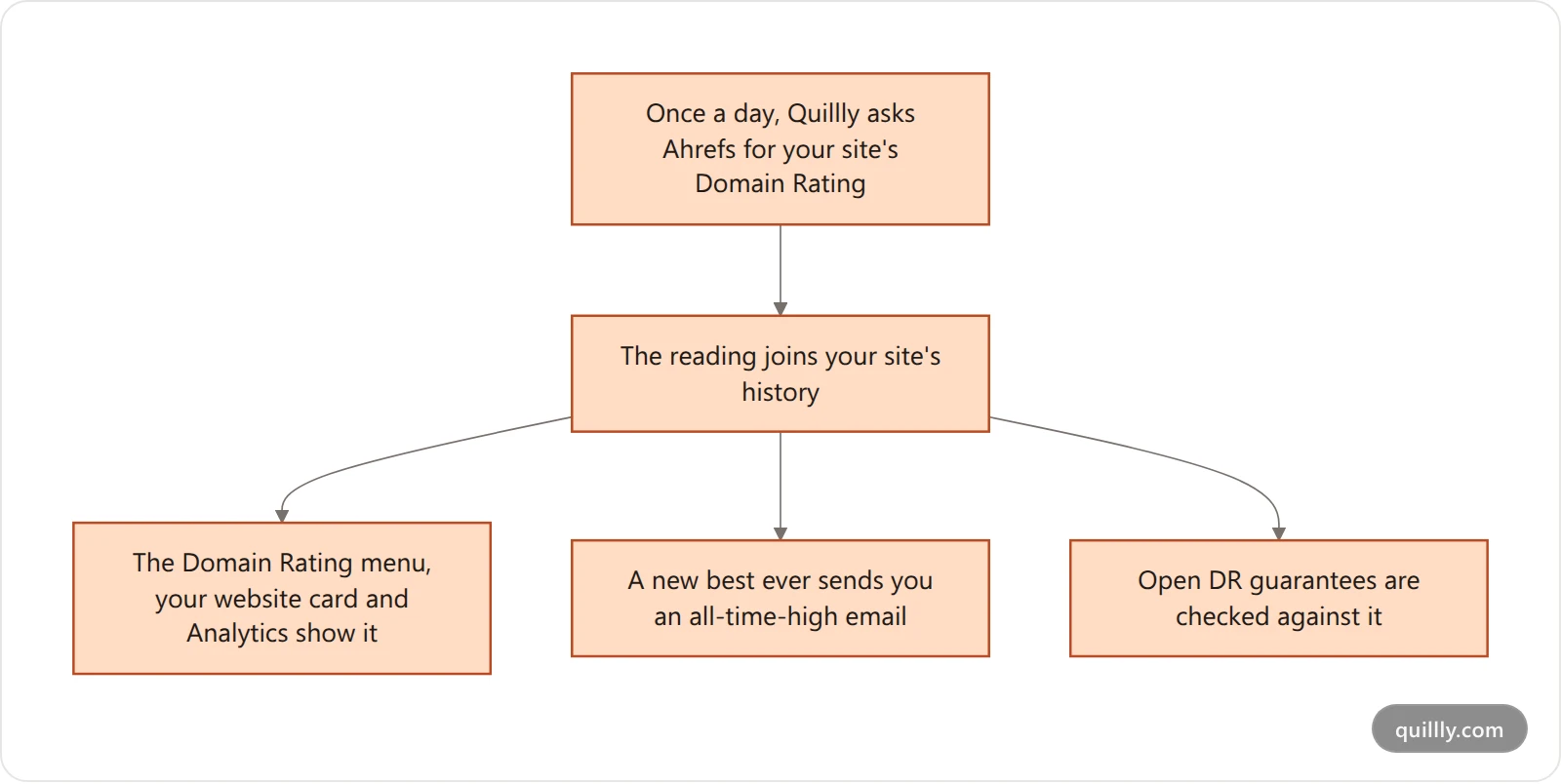
A failed reading changes nothing. When Ahrefs doesn't answer, the last reading stays until the next day.
No reading yet shows a dash. Until Quillly has a reading, the number reads —.
Quillly subdomains get no DR. Ahrefs would rate quillly.com rather than your site, so a website on a Quillly subdomain has no Domain Rating in Quillly.
Where you see it#
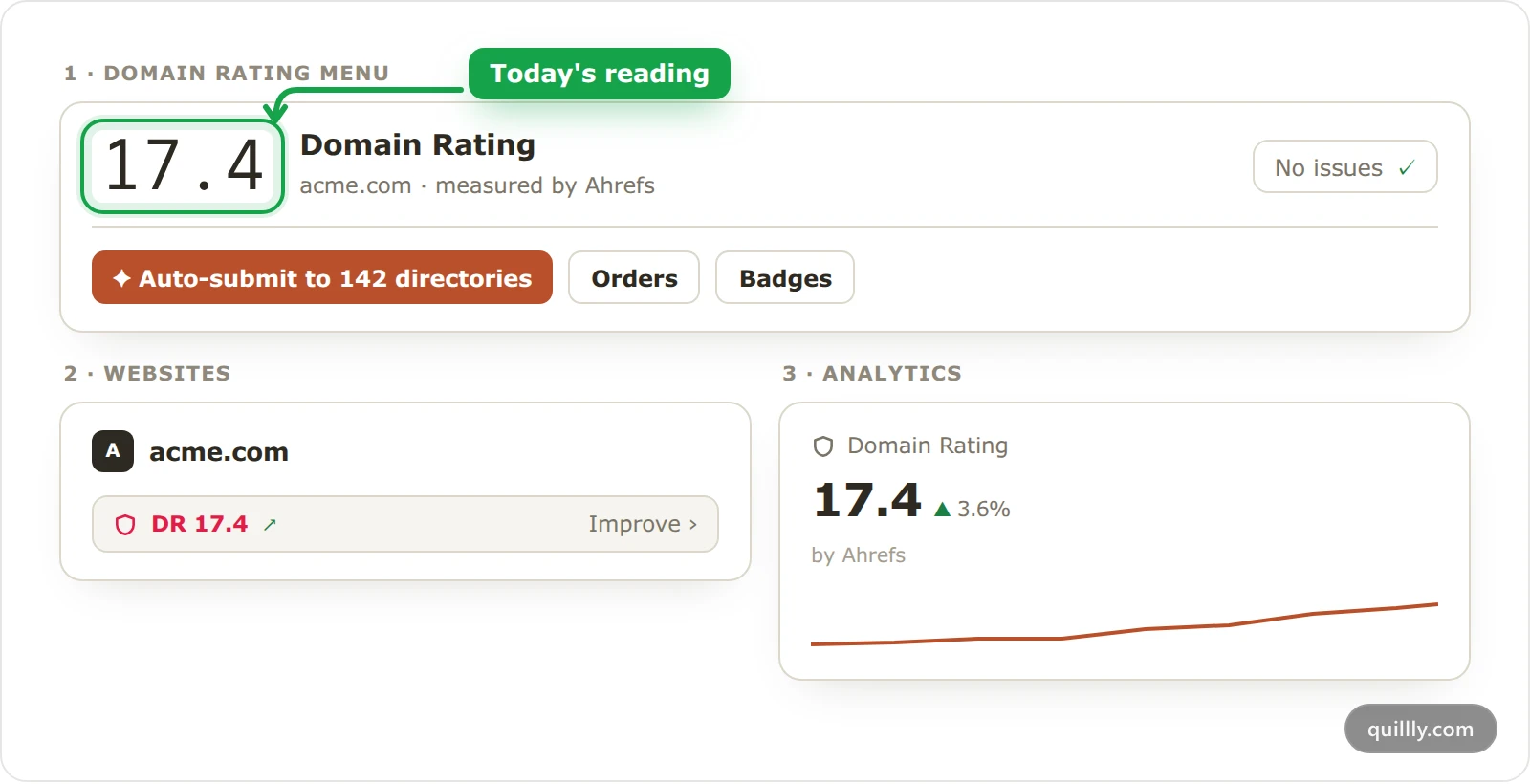
Domain Rating. The number sits at the top of the menu, with measured by Ahrefs under your domain. Each order card compares it with the DR the order started from, for example now DR 14 (+2).
Websites. Each website card shows the DR, such as DR 17.4, with an arrow when it moved since the reading before. Its color reads the level: red under 30, amber from 30 to 59 and green from 60. Click it to open Domain Rating for that website.
Analytics. The Domain Rating tile shows the latest reading and its change from the one before. Click the tile to plot your DR on the main chart, drawn from up to your last 120 daily readings, about four months.
Your AI can read it too. The get_website tool returns the value, the previous value and when it was checked, as the MCP tool reference shows.
Emails about your Domain Rating#
A new all-time high. When a reading beats your site's best so far, Quillly emails you, for example acme.com reached DR 21 — an all-time high, with a See the rating button. The first reading never counts as a high, each DR value is announced once per website, and you get at most one of these a day for each website.
The weekly digest lists the Domain Rating of up to three of your websites.
A missed DR guarantee sends its own email, with your two choices.
Turn off the all-time-high emails#
Open your settings#
Click your name at the bottom of the sidebar.
Turn off Milestones & wins#
Under Email preferences, turn off Milestones & wins. The same switch covers your other first-time wins, such as your first post going live, so those stop too.
Common questions#
Why does my website show no Domain Rating?#
Quillly has no reading for it yet, or Ahrefs has no rating for the domain. A website on a Quillly subdomain never gets one.
Why is my DR in Quillly different from Ahrefs?#
Ahrefs updates Domain Rating all the time, and Quillly reads it once a day, so the dashboard can be up to a day behind. Quillly also keeps one decimal.
Can I refresh the number myself?#
No. Quillly reads it once a day on its own, and the next reading replaces the last.
Related#
How Directory Submission works: the listings that move the number.
The DR guarantee: the Domain Rating target an order can carry.
Read the Analytics dashboard: the tiles and the main chart.
MCP tool reference: every tool your AI can call.