Account settings, emails and support
On this page
- Open your profile
- Your account settings
- Your author profile
- Choose which emails you get
- Delete your account
- 1. Click Delete Account
- 2. Pick a reason
- 3. Click Delete my account
- Get help from Support
- 1. Open a new ticket
- 2. Describe the problem
- 3. Click Open ticket
- Common questions
- Can I change the email I sign in with?
- Why is there no Written by card on my post?
- Can I sign up again after deleting my account?
- Related
Your Profile page holds your account settings: your details, the author profile readers see on your posts, your email preferences and the button that deletes your account. This page covers each of them, and how to reach the Quillly team from Support.
Open your profile#
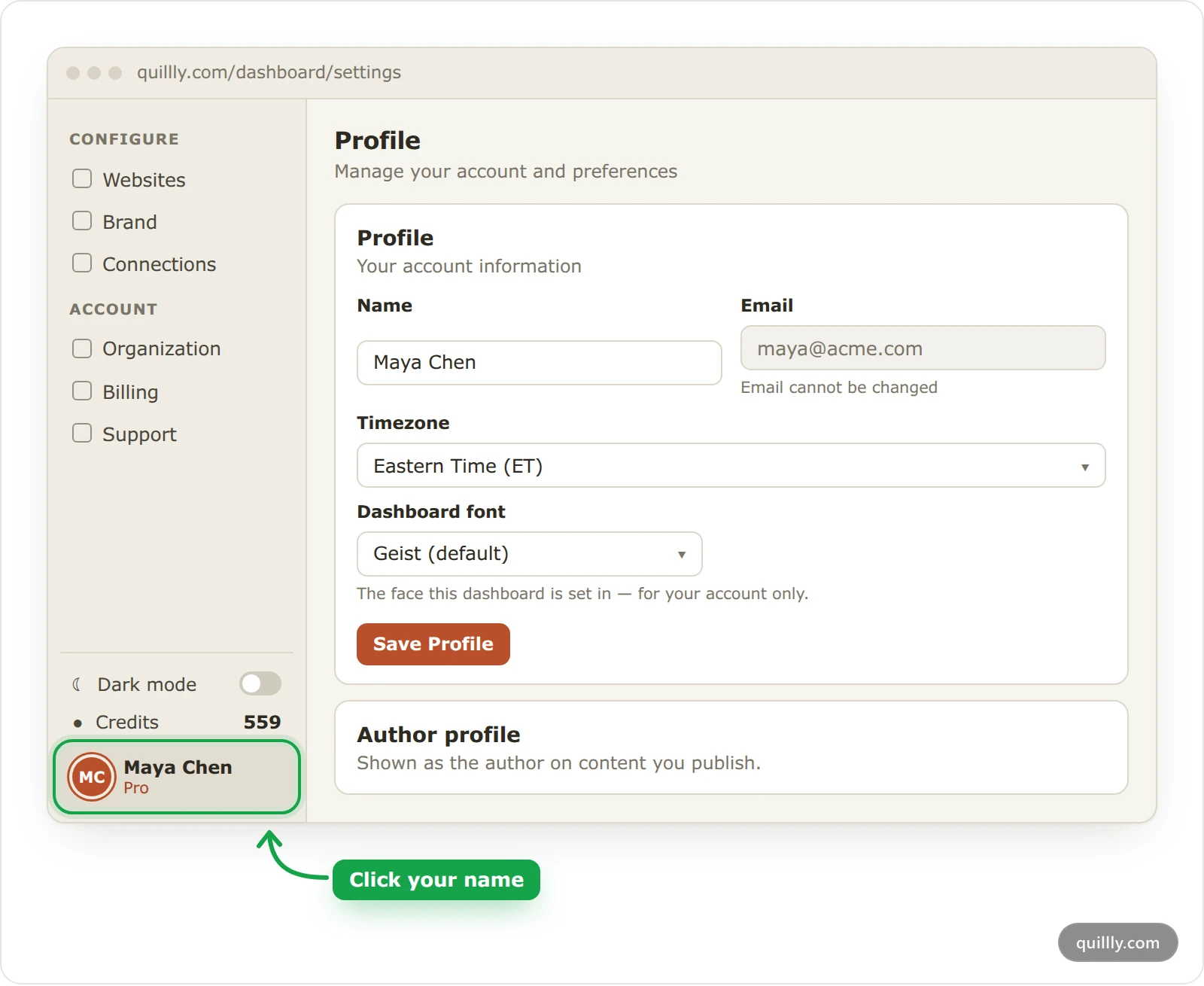
Click your name at the bottom of the sidebar. The Profile page opens.
Note
Profile and Support stay open after a trial or plan ends, and during setup. The setup screen has a Help link in its top corner that opens Support.
Your account settings#
The Profile card holds four settings. Click Save Profile after you change them.
Name: shown in the dashboard and as the author of pages you create.
Email: the Google address you sign in with. It cannot be changed.
Timezone: decides when scheduled posts go live, how your AI's times are read and which times your emails show. The menu lists nine common zones first, then every other zone under All time zones; type a city name while the list is open to jump to it. When your device reports a different zone, the dashboard asks "Your timezone looks different", and Update it saves that zone.
Dashboard font: the typeface of your own dashboard. Your websites keep their own fonts.
Your author profile#
Blog posts, news stories and changelog entries show the author profile of the person who created them. Fill in the Author profile card, then click Save author profile.
Upload photo: a JPEG, PNG or WebP image of up to 4MB, cropped to a square. Without one, your Google photo shows, or your first initial.
Title: up to 80 characters, such as "Founder at Acme".
Bio: up to 280 characters.
Links: Website URL, X URL, LinkedIn URL, GitHub URL, YouTube URL and Instagram URL. Each one is a full address starting with
https://.
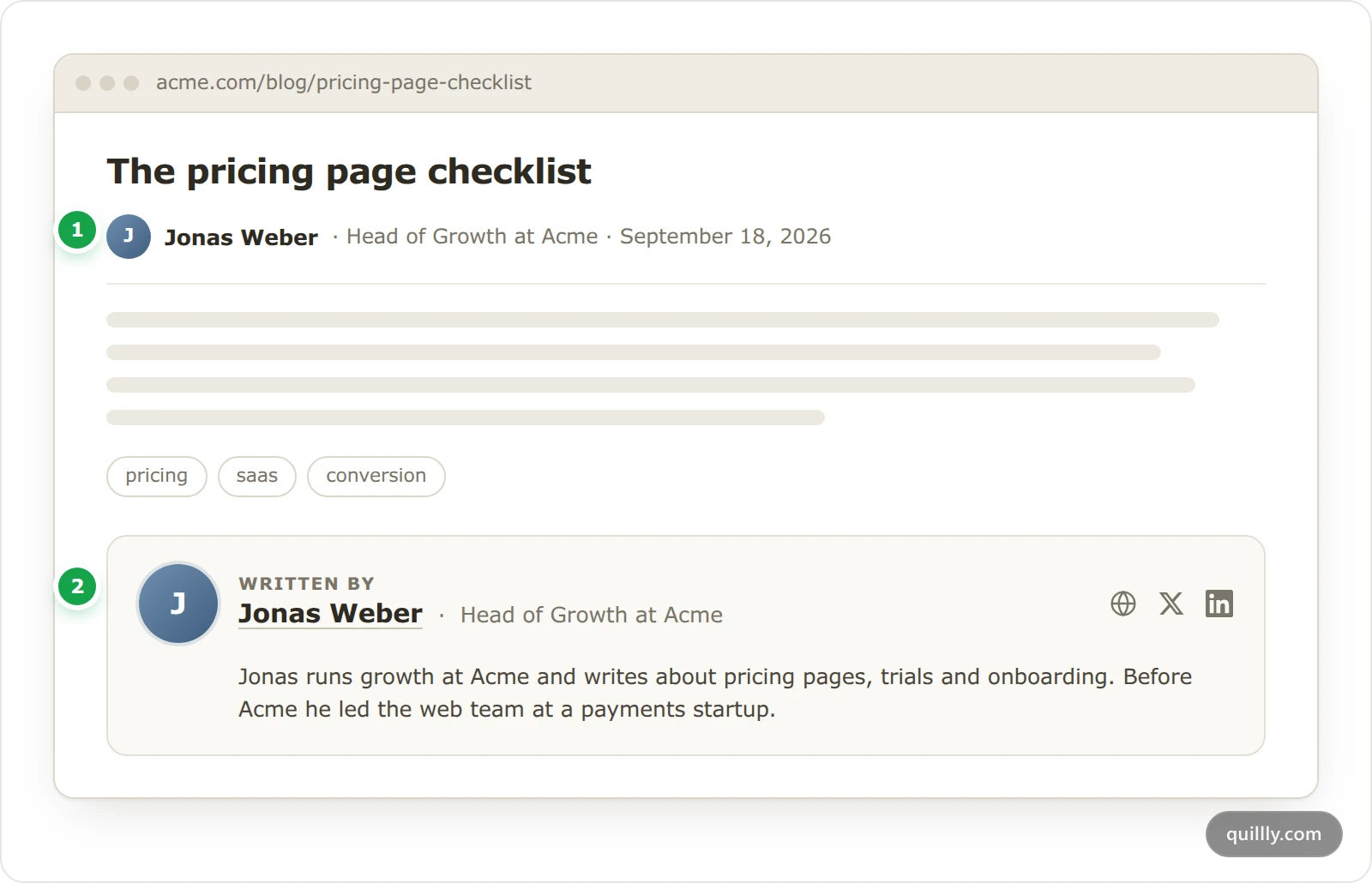
The numbers match the picture above.
The byline under a blog post's title shows your photo, name and title. Your name links to your Website URL, unless that address is the site the post is on.
The Written by card at the end of a blog post adds your bio and your links. It appears once you add a bio or at least one link.
News stories and changelog entries show your name and photo. Docs pages show no author.
Search engines read your name, title, photo and links from the page's Person structured data, as Google's author markup guidelines describe.
Clicks are yours to count. Links in the byline and the card carry
utm_sourceset to the site's domain, so your own analytics can see them.On a team, each page shows the profile of the teammate who created it, and no one can pick a different author.
Choose which emails you get#
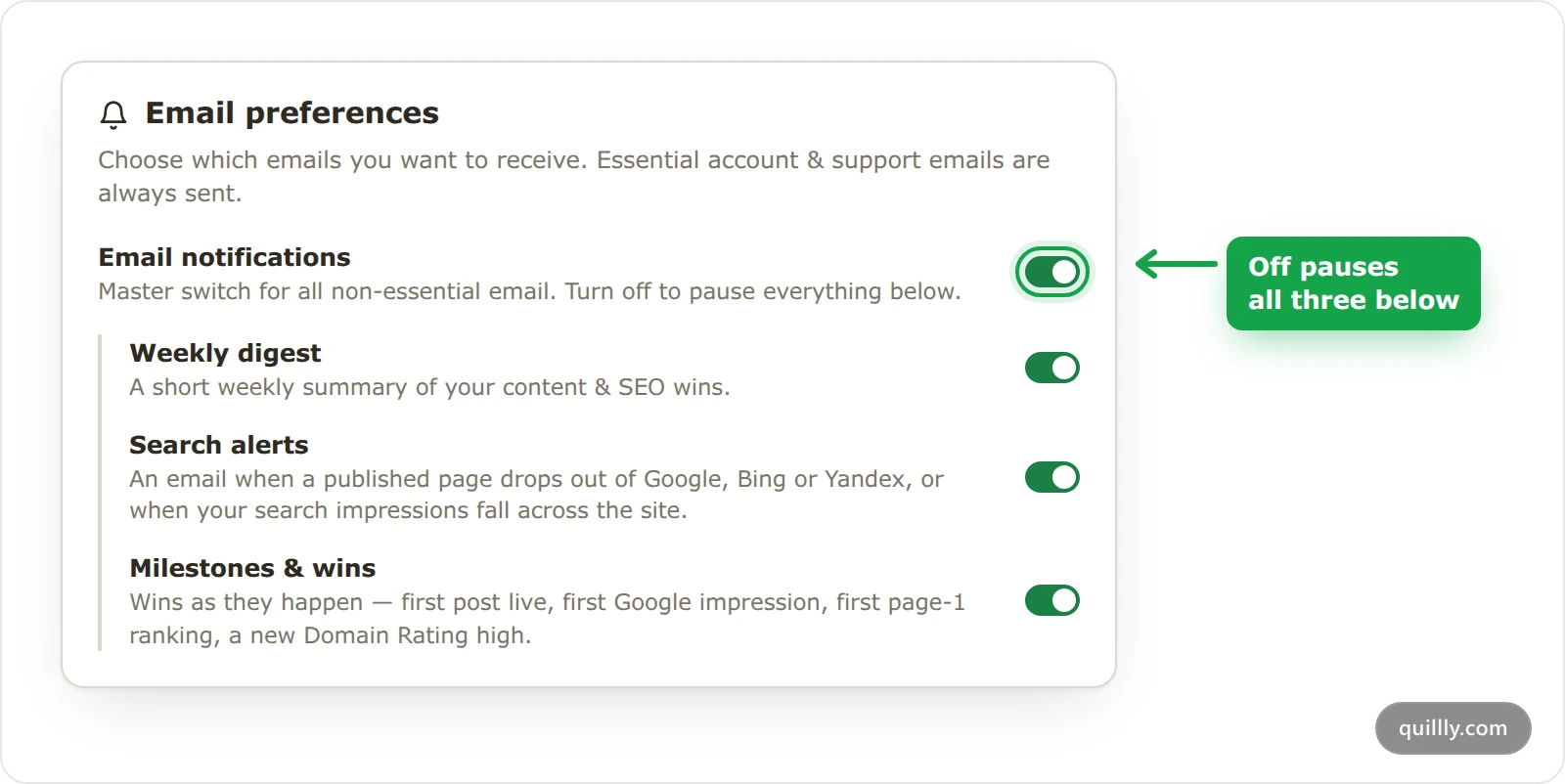
The Email preferences card saves each switch as soon as you flip it. Emails from the three streams also carry an unsubscribe link at the bottom, which turns off that one stream.
Switch | The emails it turns off |
|---|---|
Email notifications | Every email in the three rows below. |
Weekly digest | Your weekly summary, the weekly site health report, and alerts when pages get broken links or images, or lose score after a scoring update. |
Search alerts | An email when a published page drops out of Google, Bing or Yandex, and one when a site's impressions on one of those engines fall by half or more in a week. |
Milestones & wins | Your first post live, your site's first appearance on a search engine, the first click from Google, the first page-one ranking, a new Domain Rating high, and counts from 10 posts, 100 clicks and 1,000 impressions up. |
Some emails always send, whatever the switches say: your trial reminders, team invitations and changes, support ticket updates and reminders, warnings before Quillly pauses the pages it serves on your domain, analytics and hosted page view limits, a search engine connection that needs reconnecting, and your Directory Submission orders and launch days.
Delete your account#
Deleting your account is permanent, and there is no undo. Export the pages you want to keep first.
Before you start
Cancel your subscription, as Billing shows. While it is active, the dialog answers "Cancel your subscription first" and sends you to Billing.
Export your pages. Open each website under Websites and click Download .zip in the Export content card. The zip holds every page as a markdown file, drafts included, with its title, dates and SEO fields at the top. Images are linked, not included.
Click Delete Account#
At the bottom of Profile, under Danger Zone, click Delete Account. If your subscription is cancelled but runs until a date, the dialog says You still have time left. Click Delete anyway to go on.
Pick a reason#
Choose the reason closest to yours, and add a note if you like.
Click Delete my account#
Quillly deletes the account and signs you out.
What is deleted: your account, and every website you added with everything on it: its pages, teammates' pages included, and its folders, brand settings, analytics, search data, notes and keywords. Your API keys and AI connections, your credits, your support tickets, and your notifications and comments go too.
Your team:
An organization you own ends. Your teammates keep their own accounts and websites, and every website shared with the team is unshared.
An organization you belong to lets you go. Your seat goes to a teammate whose seat was paused, if there is one.
What stays:
Your trial is used. The free trial is one per email, so signing up again with the same address starts no new trial.
Your reason for leaving, which helps improve Quillly.
Pages you wrote on other people's websites. They stay there.
Your Directory Submission orders. Records of orders you paid for are kept as payment records, as the delete dialog says.
No refunds. Credits left in your wallet are deleted, not refunded.
Warning
Deleting your account deletes every website you added, with every page on it, including pages your teammates wrote there. Export anything your team still needs first.
Get help from Support#
A support ticket is a conversation with the Quillly team inside the dashboard. Each person sees only their own tickets.
Open a new ticket#
In the sidebar, under Account, click Support, then New ticket.
Describe the problem#
Write a Subject of at least 3 characters and pick a Category: Question, Bug, Billing, Feature request or Other. In Message, say what happened and what you expected. Attach files adds up to 5 files: images, PDFs and text files up to 10MB, or MP4, WebM and MOV videos up to 90MB.
Click Open ticket#
The conversation opens. Replies appear in the thread, which refreshes on its own while it is open, and a dot marks tickets with an unread reply.
Statuses: Open, In progress, Waiting on customer, Resolved and Closed.
Emails: you get one when the status changes, and a reminder when a reply has waited unread for more than 4 hours, repeated every 3 days until you open it. These send whatever your email switches say.
Close ends a ticket you no longer need. Reopen, or a new reply, opens a resolved or closed ticket again.
Common questions#
Can I change the email I sign in with?#
No. You sign in with Google, and the Email field on Profile cannot be changed.
Why is there no Written by card on my post?#
The card appears once your author profile has a bio or at least one link. Docs pages show no author at all.
Can I sign up again after deleting my account?#
Yes, with the same Google account, but you start from an empty account. The free trial does not restart.
Related#
Organizations and seats: leave a team or remove members.
Billing: change plan, seats and credits: cancel a subscription.
Publishing: statuses, scheduling and review: scheduled posts use your timezone.
Plans, trial and limits: what happens when a trial or plan ends.
Team roles and access: what each teammate can open, Support included.