Agent Notes: what your agents remember
On this page
Each agent session starts fresh. Agent Notes is the memory that carries over from one session to the next: handoffs, decisions, guardrails and notes, kept for each website. This page shows what each kind is for, how to add and resolve Agent Notes, and which agents read them.
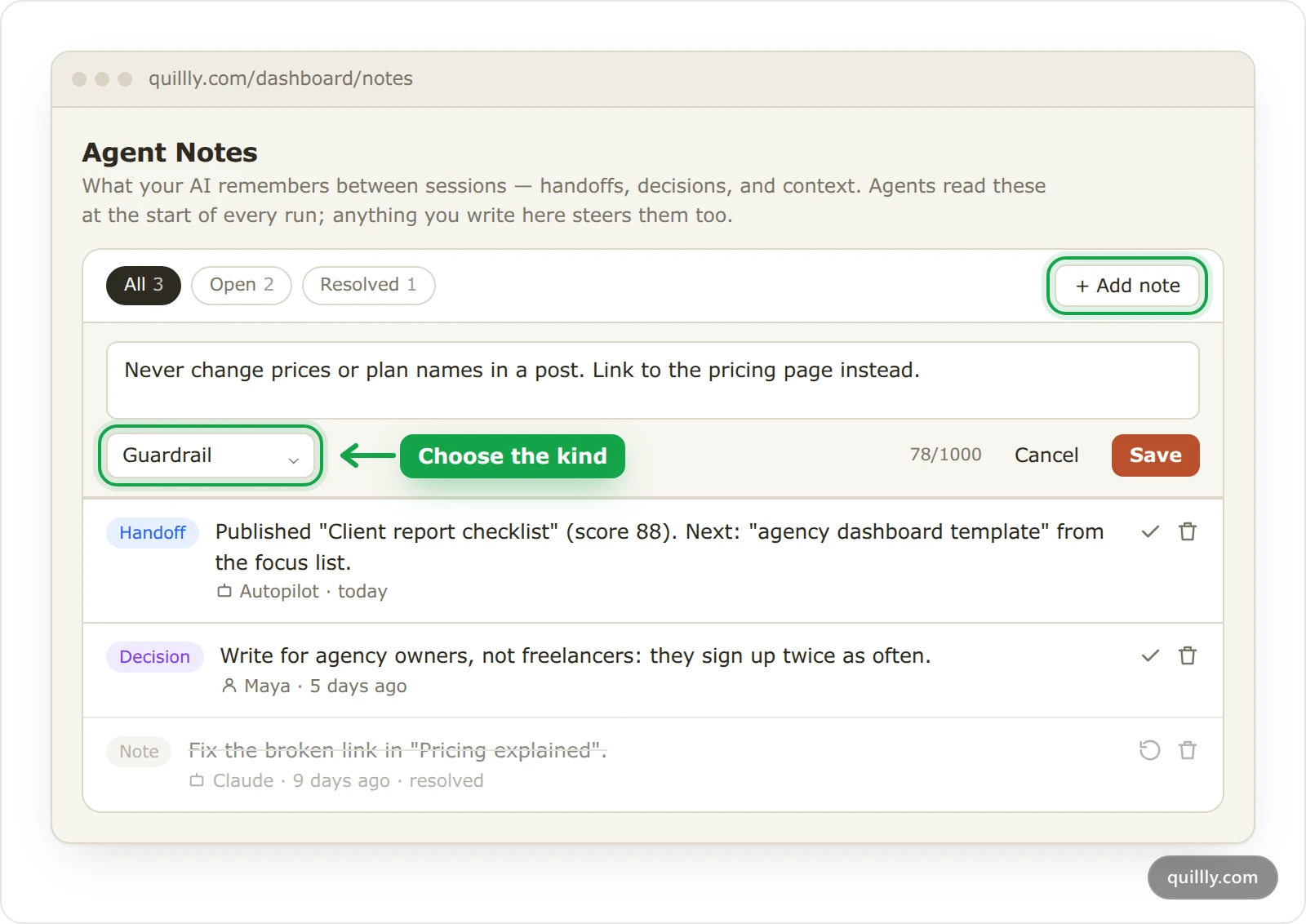
The four kinds of notes#
Kind | Use it for | Example |
|---|---|---|
Handoff | Work queued for a future session | "Update the other comparison posts next." |
Decision | A choice and its reason, so the next session doesn't reverse it | "Write for agency owners, not freelancers: they sign up more." |
Guardrail | A standing rule every session must follow, such as content an agent must never touch | "Never change prices or plan names in a post." |
Note | Standing context: constraints, priorities, things worth remembering | "We sell to builders, not small businesses." |
Every note shows who wrote it: your name, or the agent's, such as the name of the API key your AI connects with, Autopilot or Quillly Agent.
Add a note#
Open Agent Notes#
Click Agent Notes under Growth. The notes belong to the website you have selected.
Click Add note#
On a website with no notes yet, the button reads Write the first note.
Write the note and choose its kind#
Write up to 1,000 characters, then pick Handoff, Decision, Guardrail or Note from the menu. A new note is a Note unless you change it.
Click Save#
The note joins the list, and agents see it from their next session.
Keep each note short and specific. Limits such as your minimum SEO score are website settings, not notes: Your first session shows how your AI changes them.
Which agents read your notes#
Your own AI, connected through the Model Context Protocol, starts each session with
get_content_strategy. Its answer carries the 10 newest open notes and up to 20 open guardrails. Your AI reads the rest withget_website_notesand writes withupdate_website_note.The in-app agent reads them only when it opens the site brief or your notes, which it does not do for every message. When a rule matters, start your message with "Read Agent Notes first".
Autopilot leaves a handoff note after each post it publishes. Its scheduled runs do not pass notes or guardrails to the writer, so put a routine's rules in its Instructions.
Agents treat notes as context, not orders: they are told to check facts against live data first, and a note never overrides your minimum score or other limits. When your AI saves a guardrail about one page, it can attach that page, and the brief then tells agents never to edit, archive or publish it.
Warning
A guardrail is an instruction, not a lock. Quillly shows it to every agent that reads the session brief, but it does not block an edit that breaks it.
Resolve, reopen or delete a note#
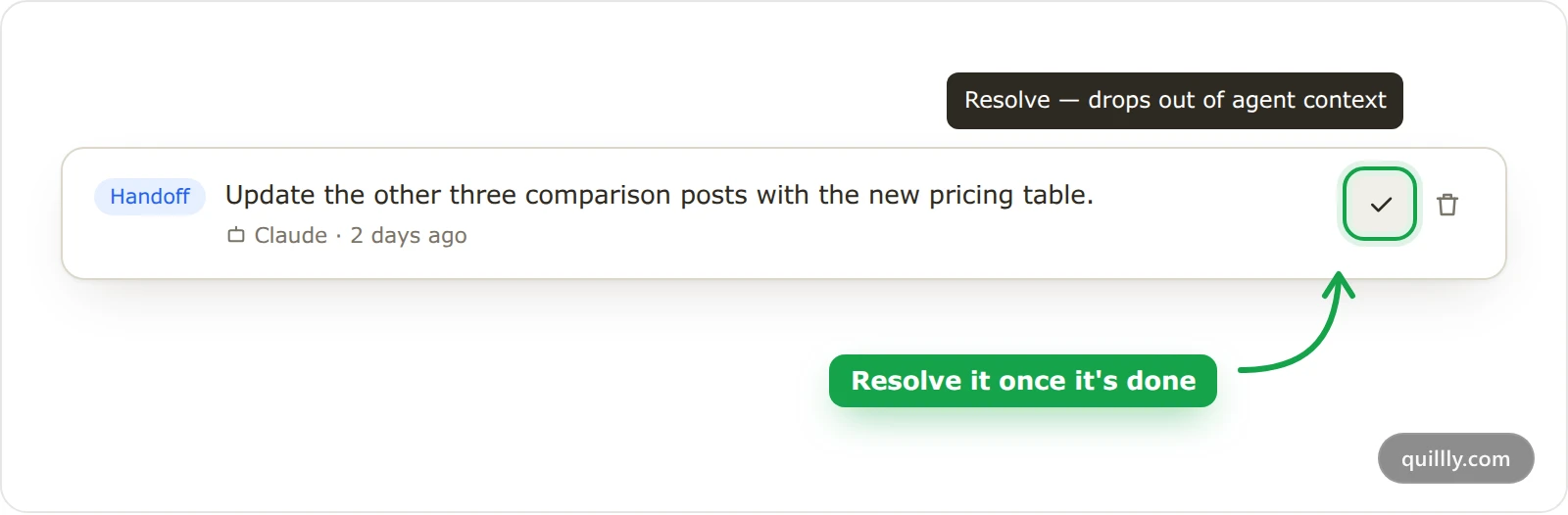
Resolve, the check mark: the note leaves the agents' context and stays in the list, struck through, for 30 days. Then Quillly deletes it.
Reopen, the circular arrow on a resolved note: the note comes back and is no longer deleted.
Delete, the bin: the note is gone at once. Only this page deletes notes; agents can resolve notes but never delete them.
The chips above the list filter All, Open and Resolved notes and show how many of each you have.
By default, everyone who can open the website reads its notes, writers and up add them, and the owner and organization admins resolve, reopen and delete them.
Limits#
A note holds up to 1,000 characters.
A website holds up to 50 open notes. Past that, adding a note is refused until you resolve some. Resolved notes don't count.
The page lists the 50 newest notes.
Tip
Autopilot adds a handoff note for every post it publishes. Resolve old handoffs now and then, or the 50-note limit will block new notes.
Common questions#
Do notes apply to all my websites?#
No. Each website has its own notes. Select another website in the sidebar to see its notes.
Can an agent delete my notes?#
No. Agents can add, edit and resolve notes, but only the Agent Notes page deletes them. A resolved note stays readable for 30 days, so you can reopen it.
Why did my AI ignore a note?#
A Note is context that agents weigh against live data. For a rule, use a Guardrail, and keep it to one clear sentence.
Related#
Your first session: how a session starts and reads the brief.
Autopilot: posts written on a schedule: the routines that leave handoff notes.
MCP tool reference:
get_website_notes,update_website_noteand the other tools.